









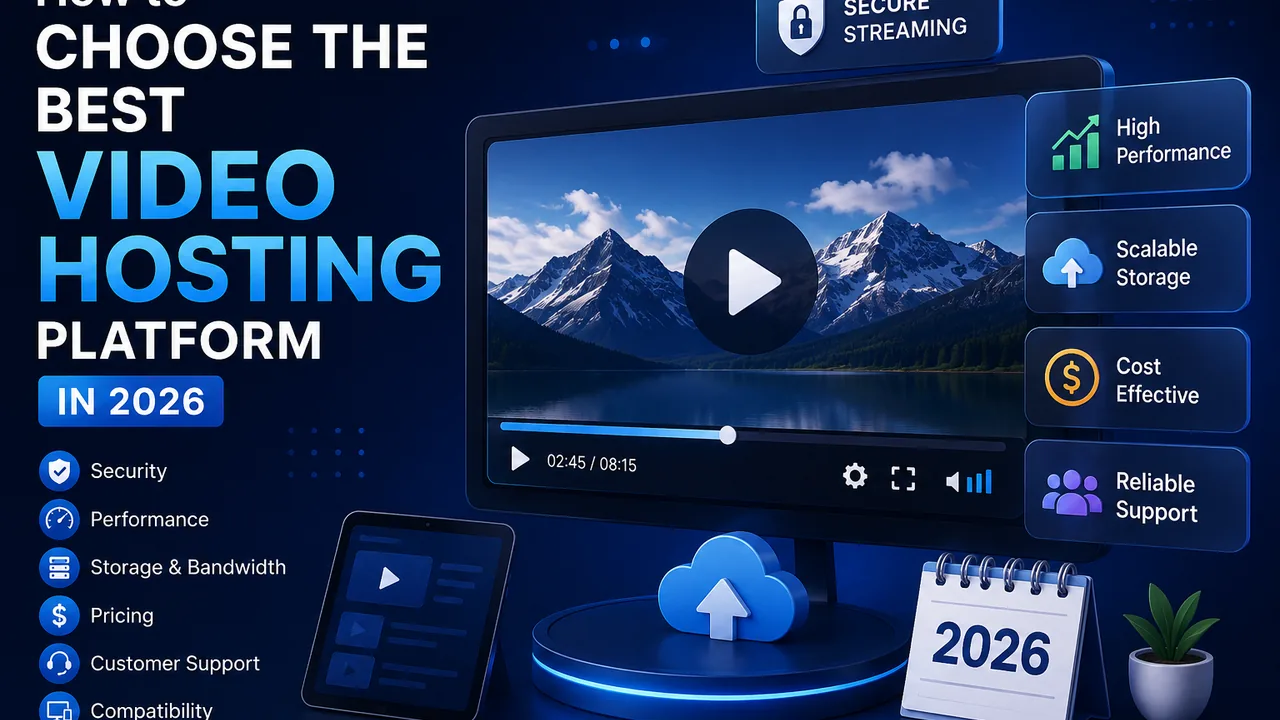
How to Choose the Best Video Hosting Platform in 2026
Video has become part of the core infrastructure behind modern websites. Businesses use it for product demonstrations, creators use it for premium content, educators deliver entire courses through video, and media websites may serve thousands of streams every day.
But once video becomes important to your website, simply uploading MP4 files to a web server is rarely the whole solution.
You need somewhere to store the files, a reliable way to deliver them, a player that works across devices, and enough control to manage how and where your content is viewed.
That's where a video hosting platform comes in.
The challenge is that video hosting services can look very similar at first glance. Storage limits and pricing are easy to compare, but those numbers don't tell you everything about how a platform will perform in a real production environment.
This guide explains what to evaluate when choosing a video hosting platform in 2026 and how to identify the features that actually matter for your website, audience, and workflow.
What Is a Video Hosting Platform?
A video hosting platform is an online infrastructure designed to store, manage, process, and deliver video content.
Instead of keeping large video files directly on the same server that runs your website, videos are uploaded to specialized infrastructure.
The platform can then handle tasks such as video processing, streaming preparation, playback, embedding, and file management.
For example, a typical workflow may look like this:
- You upload a video.
- The platform stores the original file.
- The video is processed for online playback.
- Streaming-ready versions are prepared.
- You receive a player or embed option.
- The player is added to your website.
- Viewers stream the content through the hosting infrastructure.
This architecture is particularly useful as a website grows because the web application and video-delivery infrastructure don't necessarily need to carry the same workload.
FileMoon, for example, provides a dedicated video hosting platform for publishers who need to upload, manage, embed, and deliver video through their websites.
Why Choosing the Right Platform Matters
Two platforms can both claim to "host videos" while offering very different capabilities.
One may primarily be designed for sharing public videos. Another may focus on private business content. A third might prioritize developers, embedded playback, or high-volume streaming.
Choosing the wrong platform can create problems later.
You might discover that your videos can't be embedded the way you need, that access controls are limited, that large libraries become difficult to manage, or that the platform doesn't fit your development workflow.
Migrating hundreds or thousands of videos later can be far more difficult than evaluating these requirements at the beginning.
That's why the first question shouldn't simply be:
"Which video hosting platform is cheapest?"
A better question is:
"Which platform fits the way my videos need to be stored, managed, delivered, and viewed?"
Start With Your Video Hosting Requirements
Before comparing providers, define your use case.
Are your videos public or private?
Will viewers watch them on your own website?
Do you need to embed videos inside articles or course lessons?
How large is your existing video library?
How quickly is it growing?
Do you expect hundreds, thousands, or significantly more playback requests?
Will developers need API access?
Do you need additional controls around who can view or embed content?
Answering these questions immediately eliminates platforms that aren't suitable for your project.
Check the Upload and File Management Experience
Uploading one video is easy.
Managing thousands of videos is a completely different problem.
A good hosting workflow should make it straightforward to upload content and find it again later.
Look at how the platform organizes files and whether its dashboard remains practical as your library grows.
If you regularly handle large files, also consider whether the upload process is suitable for your workflow.
Businesses operating at scale may additionally need remote uploads, APIs, or automated workflows rather than manually selecting every video through a browser.
The goal is to choose infrastructure that works not only for your current library but also for the library you expect to have in the future.
Understand How Videos Are Processed
Uploading is only the beginning.
A raw video file isn't always ideal for immediate web playback. Video platforms commonly process uploaded content into formats or representations better suited to online delivery.
This is often referred to as transcoding.
Processing can help make content compatible with different playback environments and prepare it for streaming.
When evaluating a platform, consider what happens between the moment a file is uploaded and the moment it becomes available to viewers.
For high-volume publishers, processing reliability can be just as important as storage capacity.
Evaluate the Streaming Technology
Video hosting and video streaming are closely connected. If you want to understand the delivery side in more depth, read our guide on how a video streaming platform works to learn about HLS, transcoding, adaptive delivery, playback, and buffering.
Hosting deals with storing and managing the video. Streaming deals with delivering it during playback.
Modern platforms commonly use streaming technologies such as HLS—HTTP Live Streaming.
Instead of requiring a viewer to download one complete video file before consuming it, streaming systems can deliver media through smaller segments.
This approach is useful for browser-based playback and modern web applications.
If streaming performance is a major part of your project, evaluate the provider as both a hosting service and a video streaming platform.
The quality of the viewing experience matters just as much as the convenience of uploading the original file.
Look Closely at the Video Player
The player is the part of your infrastructure that viewers actually see.
A complicated backend won't matter to the average visitor if the player itself provides a poor experience.
Check the platform on desktop and mobile devices.
Look at basic functionality such as:
- Play and pause controls
- Seeking
- Fullscreen mode
- Volume controls
- Mobile responsiveness
- Playback quality
- Loading behavior
- Browser compatibility
The player should feel like a natural part of your website rather than an obstacle between the viewer and the content.
For publishers embedding videos into their own pages, a clean player can have a major impact on the perceived quality of the overall service.
Make Sure Embedding Fits Your Website
For many businesses, embedding is one of the main reasons to use a dedicated video hosting service.
Instead of sending visitors to another website, an embedded player allows viewers to watch the content directly on your page.
This can be particularly useful for:
- Blog posts
- Membership websites
- Online courses
- Product pages
- Documentation
- News and media websites
- Client portals
- Internal dashboards
Check how easy it is to generate and manage embeds.
If your business relies heavily on video, embedding shouldn't feel like an afterthought.
Don't Ignore Video Security and Access Controls
Not every video is intended for everyone.
A public marketing video has different requirements from a paid course lesson, confidential presentation, client preview, or members-only video.
That's why security should be evaluated according to the type of content you're hosting.
Useful controls can include password protection, private video options, geographic restrictions, and controls over where content may be embedded.
For projects where these capabilities are important, a dedicated secure video hosting solution may be more appropriate than a platform built primarily for public sharing.
It is also important to have realistic expectations.
No web-based player can guarantee that content visible to an authorized viewer can never be captured. Security features are about adding meaningful layers of access and distribution control—not making impossible promises.
Consider Storage, But Don't Evaluate It Alone
Storage is usually one of the first specifications people compare.
It matters, particularly when dealing with large video libraries.
But raw storage capacity tells only part of the story.
Suppose two providers offer similar storage allowances. One has a workflow, player, streaming system, access controls, and API that fit your project, while the other doesn't.
The first may provide significantly more value even if its headline storage number isn't dramatically different.
When estimating storage requirements, consider:
- Number of existing videos
- Average source-file size
- Monthly upload volume
- Expected library growth
- Whether old content will remain indefinitely
- Additional processed video files
Plan for future growth instead of choosing infrastructure based only on today's usage.
Bandwidth and Traffic Can Become More Important Than Storage
A video can be stored once but streamed thousands of times.
That makes delivery traffic an important consideration.
For example, a 1 GB video stored on a platform consumes roughly 1 GB of source storage. But if large amounts of that data are delivered repeatedly to many viewers, the total transfer volume can become much larger than the original file.
Your exact usage will depend on factors such as video duration, bitrate, playback behavior, audience size, and how much of each video viewers actually watch.
High-traffic publishers should therefore evaluate both storage and delivery economics.
Check Scalability Before You Need It
Your hosting requirements may be small today.
That doesn't mean they'll stay small.
A creator might begin with 20 videos and later build a library of 2,000. A new media website may have a few hundred daily viewers before one piece of content suddenly attracts a much larger audience.
The infrastructure should be able to accommodate reasonable growth without requiring you to redesign your entire application every few months.
This is one of the main reasons specialized video infrastructure can be preferable to simply storing everything on a traditional web server.
API Access Matters for Developers
Manual uploads through a dashboard may be enough for a small website.
Larger applications often require automation.
An API can allow developers to integrate video functionality directly into their own systems.
For example, an application may need to:
- Trigger uploads programmatically
- Manage video records
- Integrate video into a user dashboard
- Automate parts of the publishing workflow
- Connect video operations with an existing application
If you are building a SaaS product, media application, or custom platform, investigate the provider's API capabilities before committing to the infrastructure.
Moving to a developer-friendly provider later can involve substantial engineering work.
Video Hosting for WordPress Websites
WordPress makes uploading media extremely easy, which can create the impression that large video files should simply be stored inside the Media Library.
For occasional small files, that may be acceptable.
But a growing video website can place very different demands on hosting infrastructure than a normal WordPress site.
Large media files consume disk space and bandwidth, and serving video directly from the same environment can add unnecessary workload to the main website infrastructure.
A dedicated video host allows WordPress to handle pages, posts, memberships, and application logic while the video platform handles media delivery.
The player can then be embedded into the relevant WordPress page.
Video Hosting for Online Courses
Course platforms have another set of requirements.
Students typically need reliable playback, while course owners need manageable video organization and some degree of access control.
The videos also need to fit naturally into individual lesson pages.
For this use case, evaluate:
- Embedded playback
- Mobile compatibility
- Private content options
- Player usability
- Video organization
- Streaming performance
- Scalability as student numbers increase
Public discovery features may be far less important because the course website itself controls access to the lessons.
Video Hosting for Content Creators
Creators don't necessarily need to choose between public video networks and private hosting.
The two can serve different purposes.
A public platform can be excellent for discovery, social engagement, and audience acquisition.
Dedicated hosting can be used for premium videos, exclusive content, direct website embeds, or material that doesn't need to live on a public social network.
A hybrid strategy can therefore make sense.
Use public platforms to reach audiences and dedicated infrastructure when greater control over the viewing environment is required.
Video Hosting for Businesses
Businesses may use video for:
- Employee onboarding
- Internal training
- Product demonstrations
- Customer education
- Presentations
- Marketing
- Support documentation
Each use case has different requirements.
A public product demonstration might prioritize convenient playback, while an internal training library may require stronger access controls.
Businesses should therefore avoid evaluating a platform based on a single feature.
Consider how video fits into the organization's complete workflow.
Free vs Paid Video Hosting Platforms
Free hosting can be useful when you're experimenting with video or publishing a limited amount of public content.
However, "free" shouldn't automatically be the deciding factor for business-critical video.
Commercial projects often need greater control, more predictable resources, additional privacy options, better management tools, or features designed for embedded video.
Before paying for any service, compare the cost against what the platform removes from your own infrastructure burden.
Storage, processing, delivery, development time, and server management all have costs—even when they're not shown as one monthly subscription.
Public Video Platform vs Dedicated Video Hosting
The distinction is important.
A public video platform is usually optimized for its own ecosystem. The objective is often to help users publish videos to that platform's audience.
A dedicated hosting platform can instead be optimized around delivering videos through your own website or application.
Consider where you want the viewer relationship to exist.
If discovery is the priority, a public network may be valuable.
If your website, brand, membership, product, or application should remain the center of the experience, dedicated hosting can be a better fit.
Many publishers use both.
Questions to Ask Before Choosing a Provider
Before committing to a video hosting platform, ask yourself:
- Can it handle my current video library?
- Can it accommodate future growth?
- Does it support the playback experience I need?
- Can videos be embedded easily?
- Are the security controls appropriate for my content?
- Does it support mobile viewers?
- How does it handle video processing?
- What happens when traffic increases?
- Does it provide API functionality if I need automation?
- Can I manage a large number of files efficiently?
- Do the pricing and usage limits match my business model?
- Will the platform still fit my project a year from now?
These questions provide a much better basis for comparison than choosing a provider because of one headline feature.
Common Video Hosting Mistakes
One common mistake is choosing solely on price.
Another is evaluating only storage capacity.
Some publishers also ignore future scalability because their traffic is currently low.
Others upload business-critical videos to a platform without first checking its embed, privacy, or access-control capabilities.
And one of the biggest mistakes is waiting until a library becomes enormous before thinking about architecture.
Migrating a handful of videos is simple. Migrating a large production library while maintaining existing embeds and user access can be much more complicated.
Choose with future growth in mind.
Which Video Hosting Platform Is Right for You?
There isn't one platform that's automatically right for every project.
A solo creator, university, SaaS company, membership site, and high-traffic media publisher can all have completely different requirements.
The best choice is the service that aligns most closely with your actual workflow.
Prioritize the capabilities you genuinely need rather than paying for features you'll never use.
For FileMoon, the focus is on providing infrastructure for publishers who want to upload, manage, embed, and deliver video online.
You can explore the FileMoon video hosting platform to see whether its features match your project's requirements.
Final Thoughts
Choosing a video hosting platform in 2026 requires looking beyond storage and price.
The complete experience matters: uploading, processing, management, streaming, player quality, embedding, security, scalability, and developer integration.
Start by defining your use case.
Then evaluate providers against those requirements instead of trying to find a universal "best" service.
As your video library and audience grow, the quality of the underlying infrastructure becomes increasingly important. Making the right architectural decision early can save considerable migration and development work later.
For projects requiring a broader hosting solution, explore FileMoon's video hosting platform. If your priority is controlled content access, see secure video hosting. And for projects focused heavily on playback and delivery, learn more about the video streaming platform.



Comments (0)
No comments found